Welcome to the Williams Family Blog!

Now that you have found us, we invite you to return often for more adventures!


We Came To Play!

We Came To Play!

Opening Magic Kingdom

Opening Magic Kingdom
Showing posts with label Disney's PHOTOPASS. Show all posts

Friday, July 15, 2016

I Had Two Photo Goals For Our Trip--Nailed Them Both!

One a previous post, I wrote about having two photo goals for our most recent trip to the Walt Disney World Resort.

One, was a wave photo.  We had a wave photo taken in the wave pool at Typhoon Lagoon during our trip in July of 2014--see photo below--and I wanted another one!  Click here to read more.
July 2014
Luck had it that upon our timely arrival at Typhoon Lagoon, a Photopass Photographer told us that there was a photographer in the wave pool--Kristen or Kristie. We headed off and found her!  We asked her for a wave photo and the waves that were coming in were the giant, 5 foot, crashing kind--just what we wanted.  The photographer positioned us and we listened for the "whoosh" and the squeals as the water rushed in behind us.  She got a great photo and different than the one we had before.

2016
The next photo goal was for a fireworks photo.  Again, it had been since July 2014.  Click here to read more about how we pulled off this feat.
July 2014
We had attempted this shot during our February trip, but alas, a crane was positioned near the Castle, so no fireworks during the Castle Forecourt Stage Show.  This time when we arrived at the Magic Kingdom, there was no crane, an element in our favor, but there was also a different show in front of the Castle.  Mickey's Royal Friendship Faire had just opened the week prior.  I had watched it on-line to determine if there were fireworks--there were.  And, when during the show were there fireworks--in the last 90 seconds.  Okay.  Got it!

Next I needed a Times Guide with the show times listed for the new show.  I grabbed one at the gate.  Then, I planned our touring to coincide with with times as the show is performed multiple times throughout the day.  We were headed to the hub to find a Photopass Photographer, but the Times guide said the show would begin at 1:15 pm and it was several minutes past that and no show.  We hovered near the Ole Christmas Shoppe as we would be able to hear the show.  It started after a few moments.  The 22 minute show gave us some time to find a Photophass Photographer who would be willing to take the photo.

Finding the photographer took some doing!  We found 3 different ones, but only one was willing to give it a try. The show was so new that the photographers were not very familiar with it and felt they wouldn't be able to time it right.  The photographer willing to take the risk had me stand aside while he photographed other families.  I got in his line when I thought it was about right, and sure enough.  He took a few regular shots and then timed his photographs to capture the fireworks.  Yeah!
2016
There was a family waiting next in line to have their photos taken, they realized what we were doing and smiled at our adventure.

I was feeling very grateful that we had nailed the two photo goals for the trip due to great Photopass Photographers.  All of the rest of the photos would be "icing on the cake" so to speak.  Now. . . what might the quest be for the next trip. . .

Saturday, September 13, 2014

Unique Photopass Photos From Our July 2014 Walt Disney World Vacation

While unusual, the fireworks photo has become a tradition.  We even helped another family get this photo taken, too!
A local professional photographer was standing in my office at work glancing at the photos on display from our summer vacation and it made me remember that all of the photos in frames were taken by someone else—either ships’ photographers, Universal Connect photographers, or Disney Photopass photographers.  I then realized that we had some unusual and new to us photographs taken by Disney photographers.  Let’s take a look:
In all of our trips to the Magic Kingdom, we had never seen a photographer outside of Big Thunder Mountain Railroad.  We did not mind posing for this shot--and there were a few others.
We also found a Photopass photographer near Prince Eric's Castle at the Magic Kingdom.  Happy to smile!
This trip, we spent more time riding Tower of Terror and Rock-n-Roller Coaster, so it was great to have a photo in front of a different park icon.
We found several roaming photographers at Disney's Animal Kingdom.  They were happy to photograph us.  Wouldn't it be fun to have one of those photographers follow you?!?
We walked the path around Typhoon Lagoon and bumped into a Photopass photographer capturing the great scenery and background.

At Disney's Hollywood Studios there were several "insert graphics later" photo opportunities.  We definitely took advantage!
A Photopass photographer snapped this photo of the boy as he was playing The Beast in Enchanted Tales with Belle.  I wonder what he was thinking. . .
The background of Mickey's and Minnie's at the Emporium in the Magic Kingdom was the idea of a Photopass Photographer.  When he said, "Come with me," we did not hesitate.
Only a Photopass photographer could have captured this silliness and made it work for a character meet and greet.  One of my favorites!
There was also a photographer outside the Haunted Mansion at the Magic Kingdom.  And, again, we didn't mind stopping for a few photos.
This photo shows the sign of the times.  We have similar photos from previous trips of the boy smiling at being kissed by his parents.  Such torture to endure!
And, my all time favorite photo from our trip--the wave photo at Typhoon Lagoon.  There is a story and the photo is so unusual and captures us in a natural state.  No posing here!

There you have it.  Some highlights from our 484 Photopass photos and not a one is a standard character meet and greet photo, though we do have some of those. 

If you have ever hesitated about utilizing Disney's Photopass service, I understand as it took us until trip #3 to really appreciate the photographers.  Now, we wouldn't think about a trip without them.  Smile and say "cheese!"


Saturday, August 30, 2014

Family Portraits Taken at Downtown Disney's Photopass Studio

We did it again!  We had photos taken at the Photopass Studio at Downtown Disney!

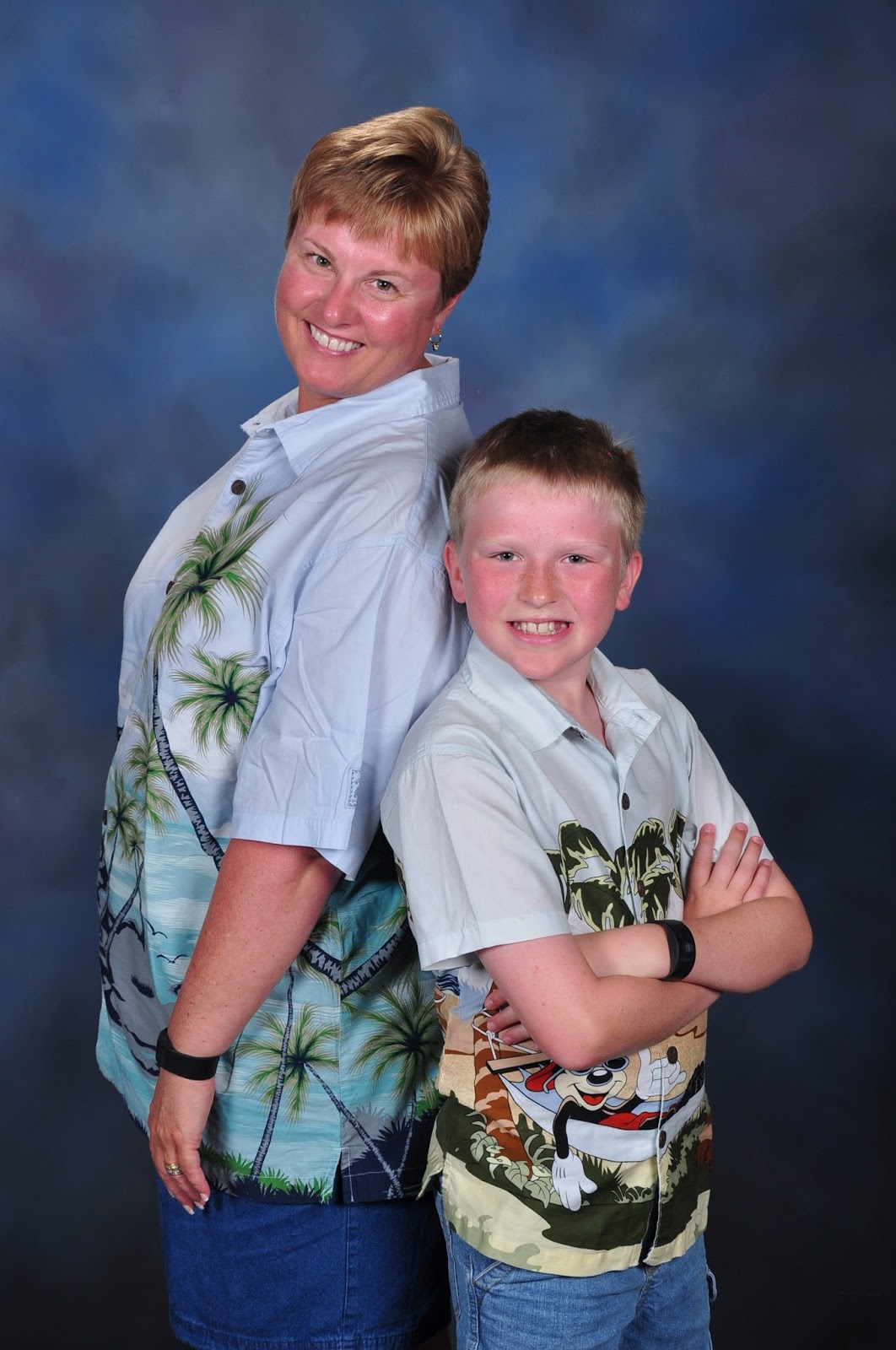
Each trip we try to make at least one stop to the Photopass Studio at Downtown Disney near Guest Services to have family portraits taken by Disney Photopass photographers.

Our experiences have varied from very attentive to obligatory, but each time we have appreciated the variety of photos that were taken and added to our Photopass account. 

Since we had pre-paid for Memory Maker prior to our trip—at a discount—we were happy to add as many Photopass photos to our account as possible.  We then edited and downloaded the photos once we got home—but actually, you can download them anytime after they appear in your account.

The  session did not take long—less than 15 minutes.  The largest portion of time was spent waiting in line for the next available Cast Member.  There were no other guests getting photographed or waiting to be photographed. 

This time, we also arrived in the afternoon.  Previously, we have been there first thing in the morning, which may make a difference in wait times, attentiveness of staff, etc.  

There is no additional fee to have these photos taken.  The only cost is for photo packages, downloads, or print outs.  But since we had Memory Maker already, the photos were added to our Photopass account and then downloaded—all for the cost of Memory Maker.  We had a total of 484 Photopass photos during our week-long vacation and paid $149 (pre-order) price for Memory Maker—that’s like paying 30 cents per photo. 

And, now, we have all of these photos digitally and can use them for a variety of purposes—social media, photo cards, customized gifts, etc. 

Wednesday, August 6, 2014

Wave Photos at Typhoon Lagoon!

The boy’s first trip to a water park, beyond our local wave pool, was when he was 18 months old and he has been to many water parks since.  So, it is no surprise that we went to both Typhoon Lagoon and Blizzard Beach—the two water parks at the Walt Disney World Resort during our summer 2014 vacation.

We take advantage of the slides—both family and individual, the wave pools at both parks, the long, lazy rivers that circle each water park, and the photographers. 

Yes, Disney Photopass photographers can be found at Disney water parks!  Sometimes you find them in the water—in the wave pools and lazy rivers.

This trip, we asked the Photopass photographer in the wave pool at Typhoon Lagoon if he could take “wave” photos of us and he said YES!  You see, the wave pool at Typhoon Lagoon alternates between gently, rolling waves, and huge, whopping, five foot waves that are used for surf lessons in the morning before the park opens.  The changing of the wave pattern is signaled by a horn.

So, when the big waves were coming in every few minutes (there is a pause between the waves so that the wave generators can refill), we took our places with the photographer and listened for the “whump” sound behind us as the wave was generated.  The photographer then kept snapping photos until the wave finally crashed us from behind.  The photos are below.
We were positioned and ready and had heard the huge wave come out of the generator--you can see it in background!

The wave is still coming.  We could hear the cheers from guests being swept up by the wave as it passed.

The big wave is still coming and we anxiously waiting!

We were hit!  The wave moved us forward a ways.
This was something we had never done before—taking the wave photos I mean--we had been hit by waves at Typhoon Lagoon numerous times.  We had a blast and were grateful that the photographer was “game.” 

When we were finished and pulled ourselves up out of the water, scanned our magic bands to add the pictures to our Photopass account, and thanked the photographer, the husband looked at me and said, “This is your new fireworks photo, isn’t it?”  What he is referring to is my quest for a photograph at Magic Kingdom with fireworks in the background each trip.  My reply, “Maybe."


Sunday, January 5, 2014

Photopass + Is Now Memory Maker

One of the “new” things we tried during our July 2013 trip was Photopass +, an upgraded service that provides guests with ride/attraction photos and dining photos at select locations along with all Photopass photos on a CD—click here to read more information about Photopass +.  We fell in love with Disney’s Photopass service on our third trip, so since this was trip number eleven, we thought it was appropriate to give the new and upgraded Photopass + a try.  And, just like Disney, there is already a newer version that is all digital called Memory Maker—which we may take advantage of during our next trip.

So, this post is to review our use and opinion of Photopass + along with sharing what we do know about Disney’s Memory Maker.

We pre-ordered Photopass +, which allowed for savings, prior to our trip.  A voucher arrived in our trip materials.  We could take the voucher to any Photopass location in any of the four theme parks or to one of the restaurants that is included in the dining photo options.

The friendly Cast Member that exchanged our voucher at EPCOT.
We took our voucher to the Photopass location at EPCOT, as it was the first park we visited on our first day.  The Cast Member exchanged the voucher for a necklace that contained the digital code for Photopass photographers to scan.  In the necklace, he punched the date of the first use, as the Photopass + is only good for 14 days from the first punch (I am guessing that this keeps guests from sharing the account with others).  We were asked to show the necklace, especially the punches, on numerous occasions, so that Cast Members could check the dates.

The CD case with code inside, and the Photopass + necklace

The dates punched into the back of our Photopass tag

List of dining and attractions included in Photopass +

The gallery CD with 400 photos of Walt Disney World Resort.
When exchanging the voucher, we were also given a CD case that contained a gallery CD of 400 photos of the Walt Disney World Resort and inside that case was the code to use in our on-line Photopass account when we ordered the CD of all of our photos from the trip once we got home.  The code would make the price of CD free as we had already paid for it with our pre-ordering of the Photopass +.  Thankfully, I had a spot in my purse for the CD case that day and carried it until we returned to our resort.  Then, I put it in a very safe spot that I could access easily when we returned home—this was no small feat since we stayed for 12 days!

At the water parks, we were given different Photopass tags.  We put them on the necklace for safe keeping and then added those to our on-line Photopass account once we got home.  Same was true for the Photopass cards given to us at Jedi Training Academy and Enchanted Tales With Belle—we just kept the cards and added the photos to our on-line account when we got home.

Throughout our trip, we took advantage of Photopass photographers, and stood in lines after attractions and rides that had photos to add them to our Photopass + account by simply telling the Cast Member the number(s) of the ride photo and then having them scan our necklace—attraction photos typically cost $18-$20.  Again, we just received them digitally added to our account and would have to pay for prints if we wanted them.

At dining locations, the photos were added digitally to our account, but we also received the photo package themselves, a $35 value at each location.

When we got home, I logged into our on-line Photopass account, edited photos, put the CD in our cart, entered the code, and waited for the Photopass CD to arrive in the mail.  Easy peasy!

Well, Disney has now “plussed” the Photopass + with Memory Maker—click here to read more.

Memory Maker operates similarly to Photopass + in terms of ride/attraction photos and dining photos.  What is different is that all of the account information will be in Magic Bands.  And, instead of getting a CD in the mail after you get home and edit your Photopass photos in your on-line account, you then get to download the photos to your computer for free.  Sounds even easier, doesn’t it?

This is where my curiosity collides with my inner Disney fan.  Already Photopass has the capacity for guests to download all of their photos—in lieu of having the CD sent via mail.  When we got home from our last trip, there were some photos missing from our account and it was quickly remedied by a phone call.  I asked about the download option instead of waiting for another set of CD’s and was told that I had too many photos for a download.  Hmmm. . . will that be the case with Memory Maker?  Too many photos to download?

I get how the attraction photos will work with Memory Maker and expect that a swipe of the Magic Band will add the attraction photo to the account without having to stand in line to get the photo added after riding the attraction—okay, this is more of a “hopeful” rather than expect.  Also, rumors on the web are indicating that short ride closures this spring of attractions such as Big Thunder Mountain Railroad and Pirates of the Caribbean are to install ride photo capabilities which means there could be more attraction photos available!

I also understand how dining photos can be added as the photographer could scan the Magic Band and voila, photos would be added to the account.

What I don’t understand is how guest interactions such as Jedi Training Academy photos or Enchanted Tales With Belle photos will then be added to the account, unless it was like last time and ALL the photos of the entire group got added to our account and we had to edit them out.  If ALL the photos of the entire group get added, that just means MORE photos for the download, that I am already skeptical about.

Okay, let’s talk more about this magical download that is included with Memory Maker.  Right now, I have all of our previous trips’ Photopass photos on our computer, but I also have the CD—just in case, in their cases all labeled with trip dates.  If I want to back-up the downloaded photos from Memory Maker, I am on my own to create and burn a CD.  Disney won’t provide that to me anymore.  I know, I could save all of them to an external hard drive or a web-based server.

With Photopass + we had 14 days to use the service from the day of activation.  With Memory Maker, guests have 21 days of service from the first day of activation, which is great for those taking longer trips.

The amount of time to edit, order, and download photos on the Photopass on-line account remains the same--30 days, though there is an option to pay for an extension to give guests more time.

The pre-order cost for Memory Maker is $149, which is similar to the cost of Photopass + when pre-ordered.  With Photopass +, guests had to pre-order two weeks prior to their trip to make time to mail the voucher.  Otherwise, guests had to pay the higher price while at the parks.  With Memory Maker, the pre-order timeline is 3 days prior to trip or prior to use to get the pre-order price.  The site says that any photos taken within 3 days of purchase will not be included, which means that guests who hear about it en route or while on their trip, can pre-order, but will not get all of their Photopass photos.  This does not surprise me, as I have witnessed prospective guests whipping out their smart phones to conduct Disney business—like checking in on-line after we asked them if they had—while in the airport or on a Disney bus!

As of this writing, Photopass + is still being honored at Walt Disney World.  I understand that it is either not currently being sold or will soon not be sold and that Memory Maker will be the only option available.  This also means that guests will no longer have the option of JUST the regular Photopass photos which was a less expensive option, but will have to pay the increased price.

I guess on our next trip, I won’t be wearing a necklace; just a bracelet—a Magic Band!

Thursday, August 15, 2013

Professional Looking Photos Taken at Downtown Disney


Heading to Downtown Disney at the Walt Disney World Resort?  Have you pre-ordered a Photopass CD or are planning to purchase a Photopass CD?  If the answer is “yes” to one or both of these questions, then a great tip is to stop by the Disney Photopass location at Guest Services at Downtown Disney for a photo shoot.


The photographers are happy to take your pictures and there is usually no wait, and if there is a wait it is just minutes.  There is no fee for the photo taking, just if you purchase or download the photos or photo CD.  And, we just stop by, no appointment or reservation.


A photo shoot at Downtown Disney is typically in our vacation plans during stays of any length of time.  I just think it is great deal to get professional looking portraits added to my Photopass account, especially when I have already ordered the Photopass CD or am planning to order the CD—the more photos on the CD, the better the value!

During our mega vacation in July, we made two stops to Downtown Disney and took photos each time.  Once was in the morning.  The Photopass photographer did the poses we asked for—various combinations for our family—and was pleasant.


The second time, we arrived in the early evening/late afternoon, after a morning at Blizzard Beach.  This time, the photographer took more time and offered other poses beyond the ones we asked for, and seemed to enjoy the process.  He was friendly and jovial.  There were more candid shots during this session.


Why this works for us?  The boy, as of right now, enjoys getting his picture taken and the husband is a great sport.  He knows that this photography expedition is just as important to me as meeting new characters is important to him, and we try to make sure each other’s priorities matter.  Another reason this works for us is that we don’t have to make or keep an appointment.  Making it on time to ADR’s, park openings, and Fastpass return times is enough to keep us focused and organized.  I don’t want or need another thing to watch the clock for during our vacation.  It also works because the wardrobe gets packed specifically for the photo shoot or in this case, shoots, even though we hadn’t planned the second stop—I still had packed shirts for the occasion. 


When the Photopass CD arrives or the downloaded photos, the photos are yours to do with what you wish and you can just imagine all the creative uses for the photos.  We give them as gifts to family, make collage prints, display them in our home, and add them to personalized gifts such as calendars, tote bags, or mouse pads.  You are only limited by your imagination!

Have you used this service at Downtown Disney before?  If so, good for you.  If not, tell them we sent you!